

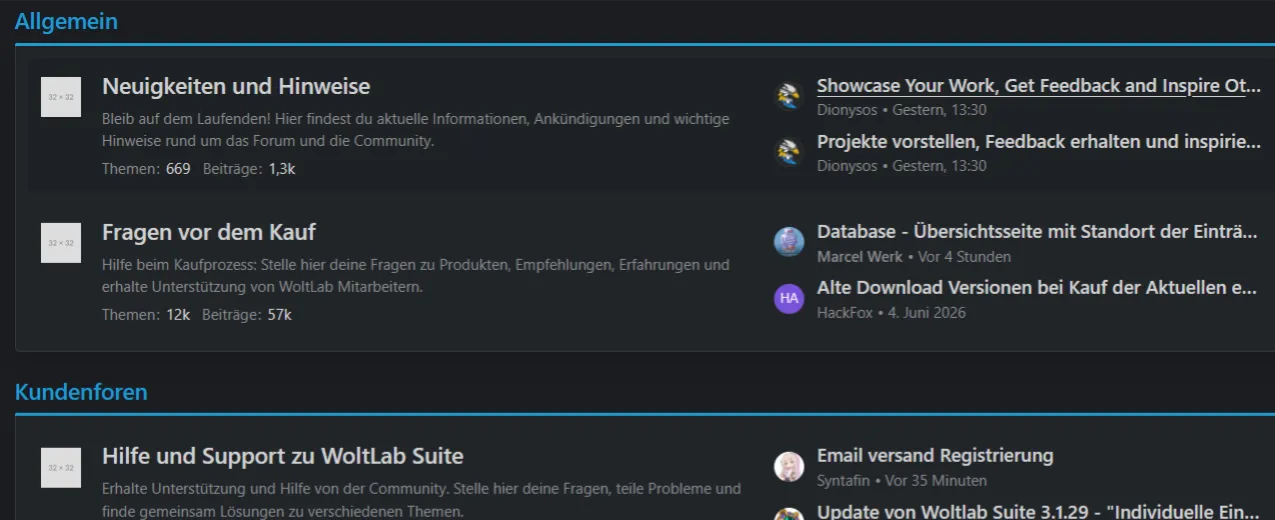
- CSS
-
Sass (SCSS)
Alles anzeigen$board-icons: ( 1: "/pfad/zum/bild.svg", 2: "/pfad/zum/bild.png", 3: "/pfad/zum/bild.jpg", ); @mixin board-icon($icon) { .wbbBoardNode__defaultIcon, .wbbBoardNode__unreadIcon { fa-icon { display: none; } &::after { content: ""; display: block; width: 32px; height: 32px; background-image: url("#{$icon}"); background-size: contain; background-repeat: no-repeat; background-position: center; margin-right: 7px; margin-top: 5px; } } } @each $board-id, $icon in $board-icons { [data-board-id="#{$board-id}"] { @include board-icon($icon); } }
Anpassung:
Nur die Map $board-icons muss gepflegt werden:
CSS
$board-icons: (
    FORUM-ID: "/pfad/zum/bild.svg",
);
Erklärung:
1. Die Liste ($board-icons) Hier wird definiert, welches Forum welches Bild erhält:
- Linke Seite = Forum-ID (zu finden im WoltLab ACP)
- Rechte Seite = URL zum Bild
2. Das Mixin (@mixin board-icon) Eine wiederverwendbare Vorlage, die:
- Das Original-Icon ausblendet (display: none)
- Das neue Bild per CSS-Pseudo-Element (::after) einfügt
3. Die Schleife (@each) Iteriert automatisch über alle Listeneinträge und wendet die Vorlage auf jedes Forum an. Somit ist kein redundanter Code pro Forum nötig.